[k8s] 오브젝트 이해하기 — Pod, Deployment, Service
k8s 핵심 오브젝트 — Pod, Deployment, Service
kubernetes 개념 심화 1파트
k8s를 직접 구축하고 나서, 핵심 오브젝트들을 직접 만들어보면서 이해해봤다. 개념만 읽는 것보다 직접 죽이고 살려보는 게 훨씬 빠르게 이해됐다.
Pod
k8s에서 컨테이너가 실제로 돌아가는 최소 배포 단위다.
kubectl run nginx-1-27 --image=nginx:1.27
kubectl get pods

14:02:11 [root@k8s-worker-jwc:/k8s]$ kubectl get pods
NAME                         READY   STATUS    RESTARTS     AGE
nginx-1-26-b8b844b6c-8p2ng   1/1     Running   0            3h37m
nginx-1-26-b8b844b6c-dddzs   1/1     Running   0            3h37m
nginx-1-27-6c4b9f4c7-bg4bn   1/1     Running   0            3h47m
nginx-1-27-6c4b9f4c7-sv68s   1/1     Running   0            4h4m
nginx-748c667d99-5h6bf       1/1     Running   2 (9d ago)   65d
nginx-748c667d99-jwhsg       1/1     Running   2 (9d ago)   65d


kubectl delete pod nginx-7
pod "nginx-7" deleted
Pod를 강제로 죽여봤더니 그냥 사라져버렸다. 자동으로 살아나지 않는다. 그래서 실무에서 Pod를 직접 생성하는 경우는 거의 없다.
Deployment
Pod를 Deployment로 관리하면 Pod가 죽어도 자동으로 살아난다.
kubectl create deployment nginx-1-27 --image=nginx:1.27 --replicas=2 \
  --dry-run=client -o yaml > /k8s/deployment.yaml

kubectl apply -f /k8s/deployment.yaml


kubectl get pods

NAME                         READY   STATUS    RESTARTS     AGE
nginx-1-26-b8b844b6c-8p2ng   1/1     Running   0            3h37m
nginx-1-26-b8b844b6c-dddzs   1/1     Running   0            3h37m
nginx-1-27-6c4b9f4c7-bg4bn   1/1     Running   0            3h47m
nginx-1-27-6c4b9f4c7-sv68s   1/1     Running   0            4h4m
nginx-748c667d99-5h6bf       1/1     Running   2 (9d ago)   65d
nginx-748c667d99-jwhsg       1/1     Running   2 (9d ago)   65d


kubectl delete pod nginx-748c667d99-5h6bf
pod "nginx-748c667d99-5h6bf" deleted


kubectl get pods
NAME                         READY   STATUS    RESTARTS     AGE
nginx-1-26-b8b844b6c-8p2ng   1/1     Running   0            3h38m
nginx-1-26-b8b844b6c-dddzs   1/1     Running   0            3h38m
nginx-1-27-6c4b9f4c7-bg4bn   1/1     Running   0            3h47m
nginx-1-27-6c4b9f4c7-sv68s   1/1     Running   0            4h5m
nginx-748c667d99-jwhsg       1/1     Running   2 (9d ago)   65d
nginx-748c667d99-w6tck       1/1     Running   0            6s
Pod를 강제로 죽이면 Deployment가 바로 새 Pod를 띄운다. replicas: 2 설정을 유지하려고 자동으로 복구하는 것이다.
| Pod 직접 생성 | Deployment | |
|---|---|---|
| 생성 방법 | kubectl run | yaml + kubectl apply |
| Pod 죽으면? | 사라짐 | 자동 복구 |
| 개수 조절 | 불가 | replicas로 조절 |
Service
Pod가 재시작될 때마다 IP가 바뀐다. Service는 고정된 주소로 접근할 수 있게 해준다. IP가 아니라 label로 Pod를 찾기 때문에, Pod가 죽고 새로 생겨도 자동으로 연결된다.
| 타입 | 접근 범위 | 용도 |
|---|---|---|
| ClusterIP | 클러스터 내부만 | Pod끼리 통신 |
| NodePort | 노드IP:포트로 외부 접근 | 테스트, 사내 환경 |
| LoadBalancer | 클라우드 LB로 외부 접근 | 실제 서비스 운영 |
kubectl expose deployment nginx-1-26 --port=80 --type=NodePort
kubectl get svc
# nginx-1-26   NodePort   10.96.111.175   80:32755/TCP
브라우저에서 http://192.168.0.57:32755 접속하니 nginx 페이지가 뜬다.
[
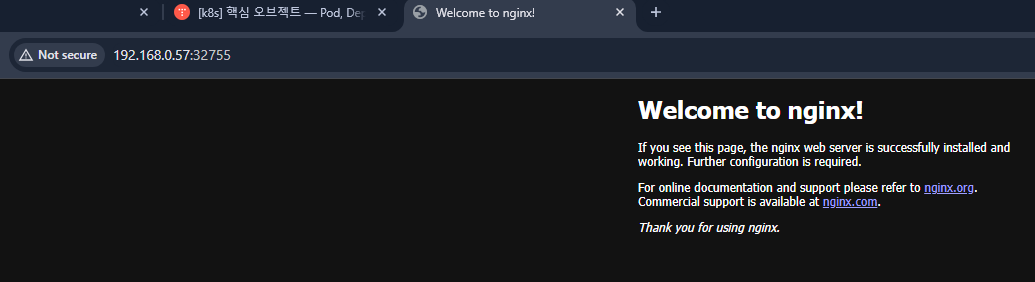
- NodePort로 nginx 접속 화면 ]
다음 파트는 Ingress다. 포트 하나로 여러 서비스를 URL 경로로 나눠주는 방법이다.
https://nomajorkorean.tistory.com/entry/1
[k8s] 오브젝트 이해하기 — Ingress
k8s 핵심 오브젝트 — Ingresskubernetes 개념 심화 2파트NodePort만 쓰다 보면 서비스마다 포트를 하나씩 열어야 해서 관리가 복잡해진다. Ingress는 포트 하나로 URL 경로에 따라 다른 서비스로 라우팅해
watershed.co.kr